

Capture receipts, submit expense claims, manage approvals and track reimbursements in one place. Dexter Expense uses AI to read receipt details, so your team spends less time entering data and more time getting work done.
Manual forms, paper receipts, and endless follow-ups slow everyone down.
Faded or misplaced paper creates constant friction and delays.
Hand-typing merchant details and amounts leads to frequent mistakes.
Tracking claim status across spreadsheets and emails wastes time for employees, managers, and finance.
Dexter Expense brings receipts, claims, approvals and reimbursements into one system. Employees take a photo of their receipts, AI reads the details, and each claim moves from submission to payment with every step recorded.
Place your receipts side by side and take a single photo. Dexter Expense finds each receipt, crops it and reads it on its own, up to six at a time. A guided camera shows you how to hold the phone, so the first shot is usually the right one.
Prefer a desktop? Drag and drop works too.
No more typing receipt details by hand.
Dexter Expense uses AI receipt scanning to capture up to 15 fields from each receipt, including merchant, amount, date, time, invoice number and payment method.
It can also read details that many receipt scanners miss, such as merchant ID, terminal ID and approval code. Where available, it can even identify a customer name handwritten on the slip.
This gives employees a faster way to record expenses while keeping the original receipt information available for review.
AI does not need to make every decision on its own.
Each extracted field has a confidence score. When Dexter Expense is less certain about a value, it highlights the field so the user knows exactly what needs to be checked.
You review the details that need attention before submitting the expense. The AI reads. You approve.
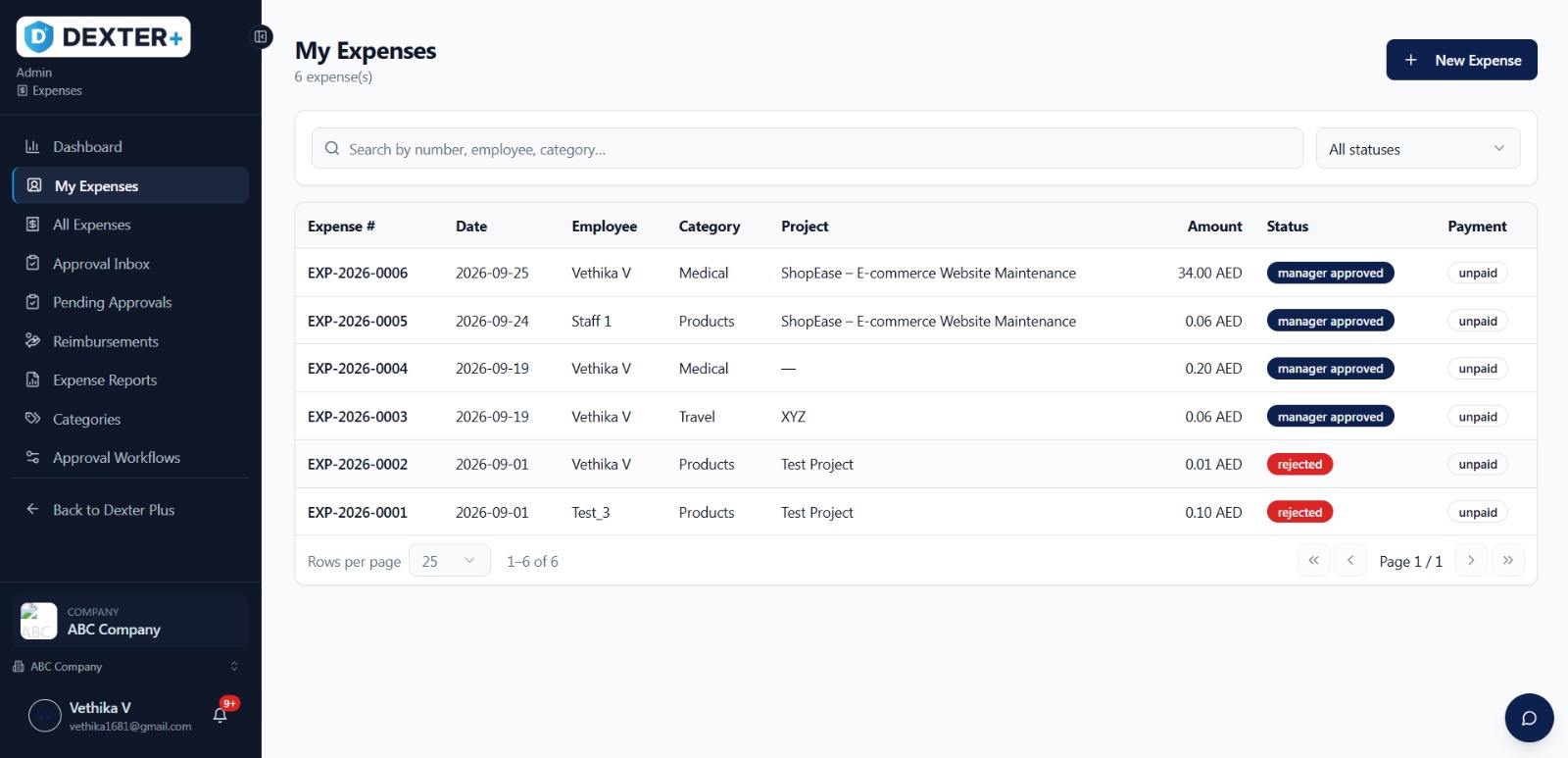
From My Expenses, employees can choose a category, attach the receipt and submit their claim.
Once submitted, each expense can be followed from Pending to Approved to Reimbursed, giving employees visibility without needing to follow up with finance.
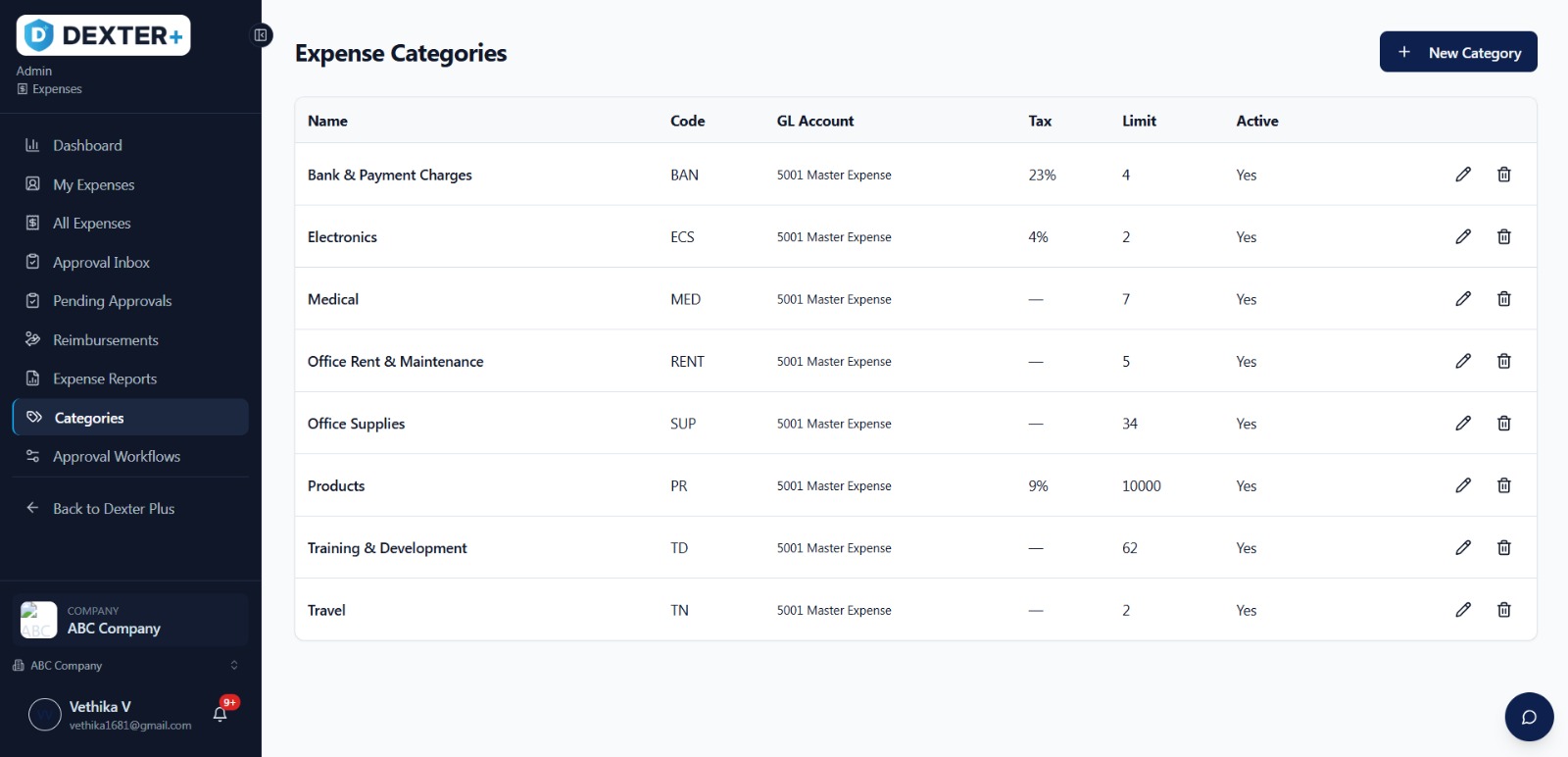
Expense categories also help keep spending organised from the moment a claim is submitted.
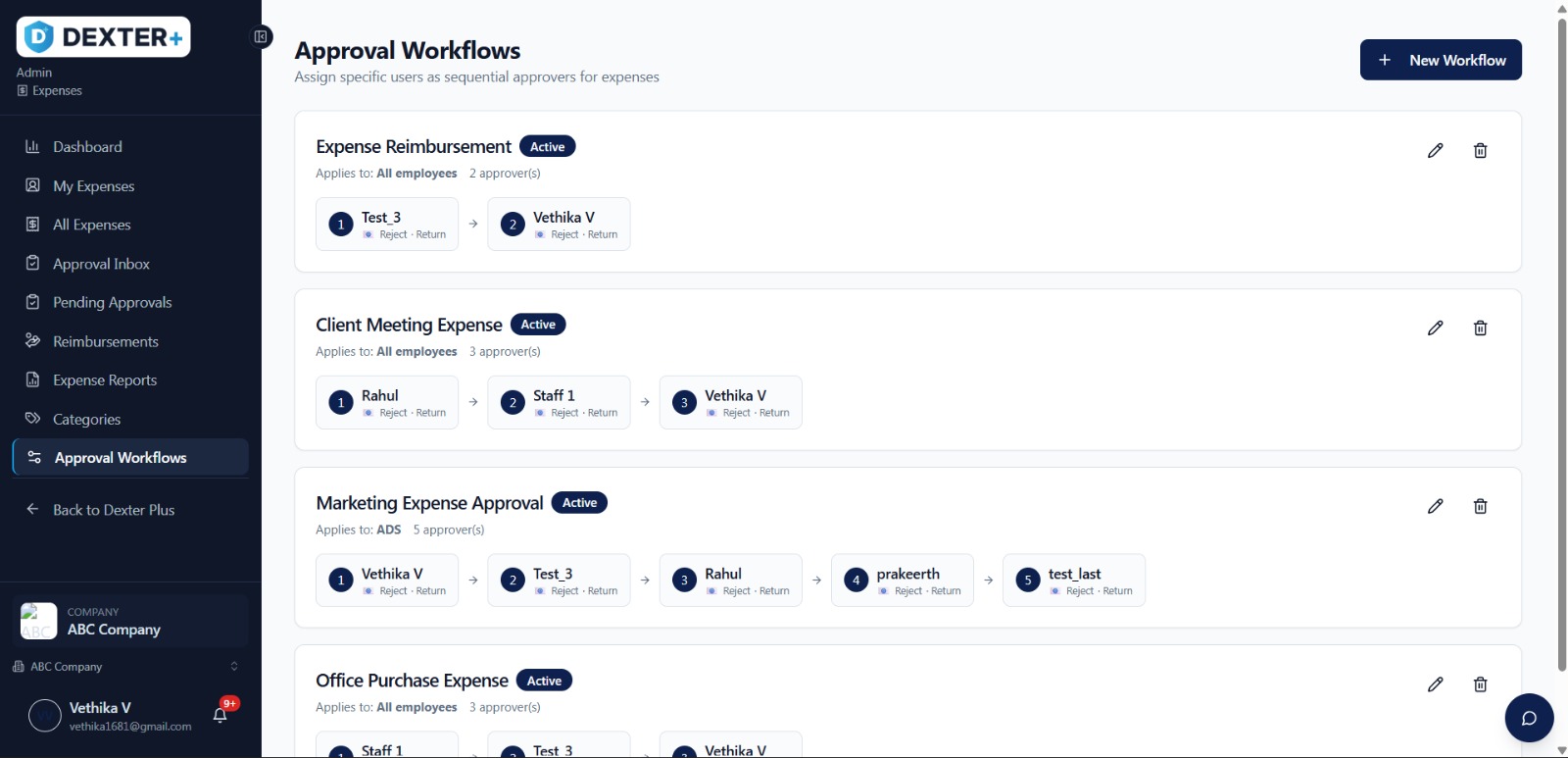
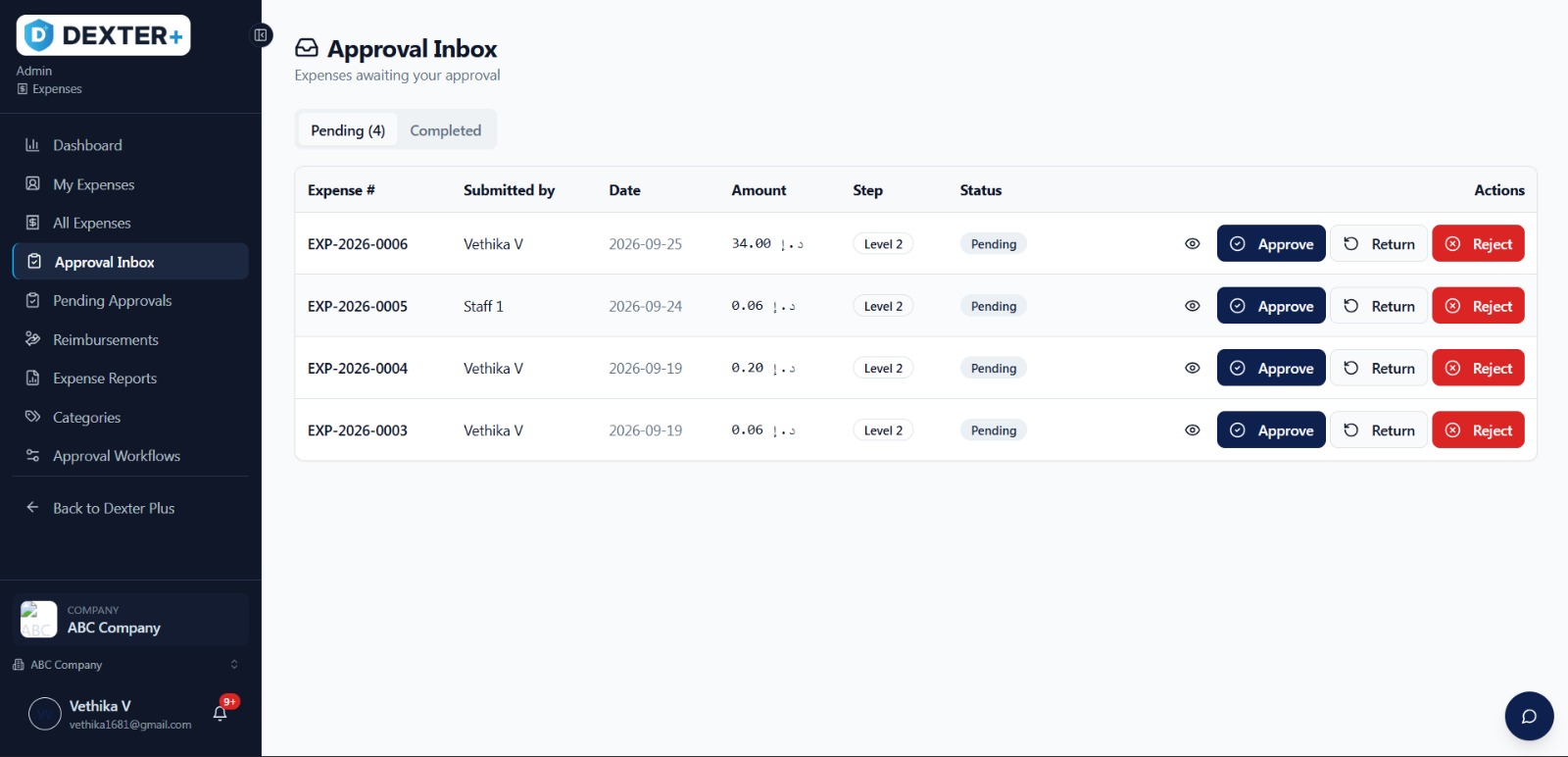
Set up approval workflows around the way your organisation works.
Approval rules can be configured based on your organisational structure, the type of expense or the level of approval required.
Every request comes into one Approval Inbox, while Pending Approvals shows what is waiting and who needs to take action.
Managers can make decisions faster, while the approval history remains recorded in the system.
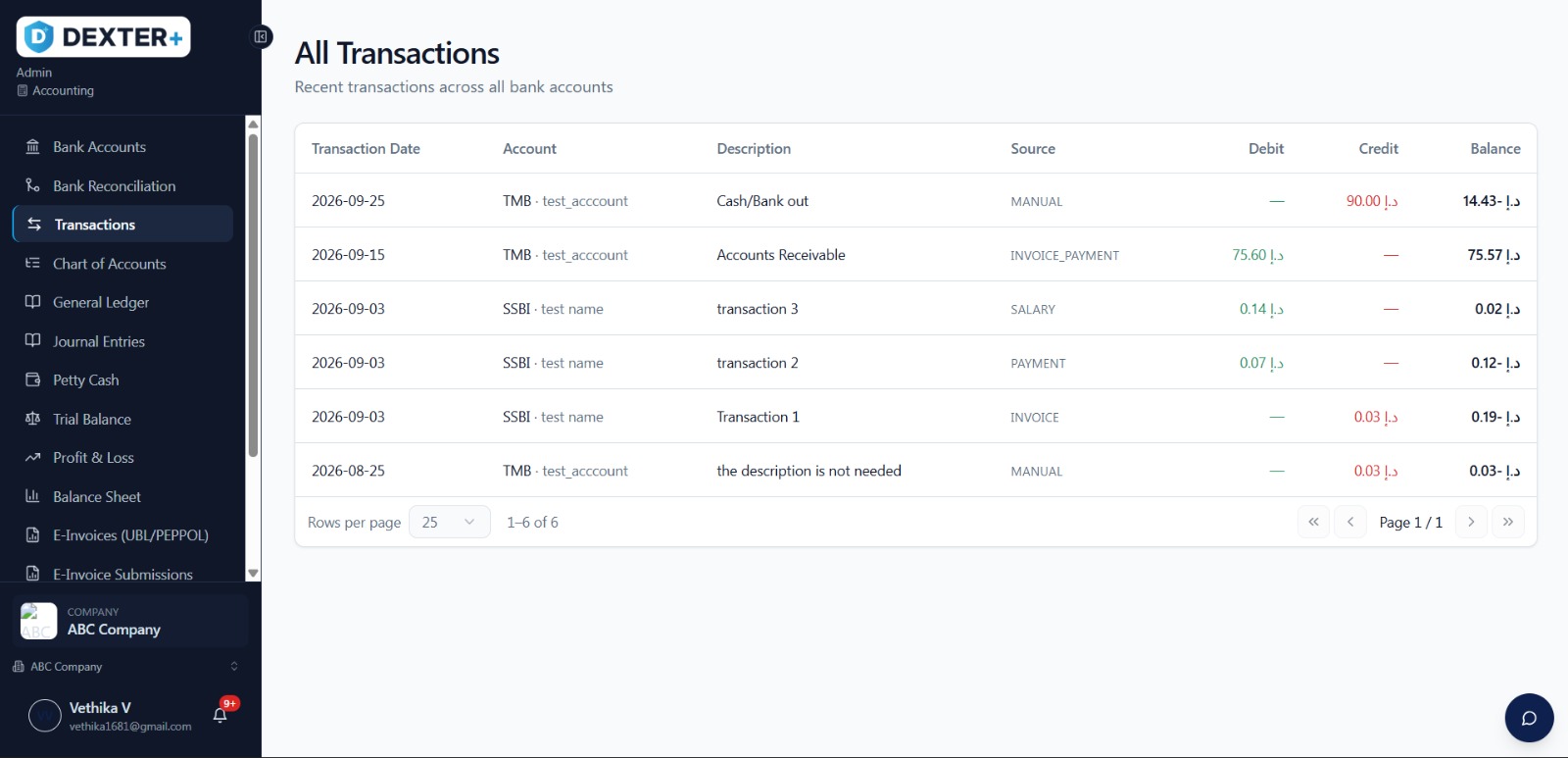
Once an expense is approved, it moves to Reimbursements, where finance can see what has been paid and what is still due.
This gives finance teams a clearer view of outstanding reimbursements and helps keep employee expense payments organised throughout the month.
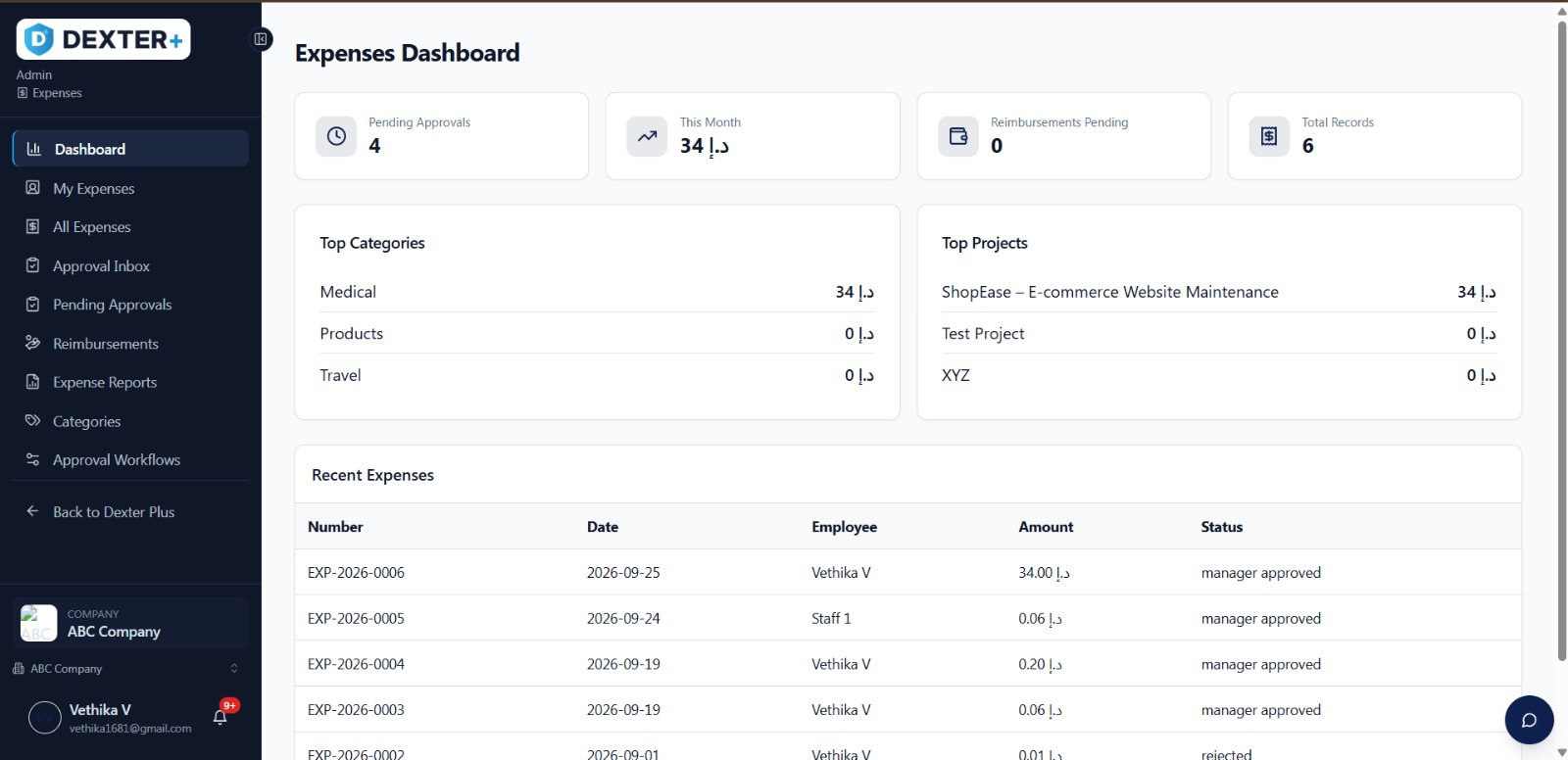
The Expense Dashboard brings submitted claims, pending approvals and reimbursements together on one screen.
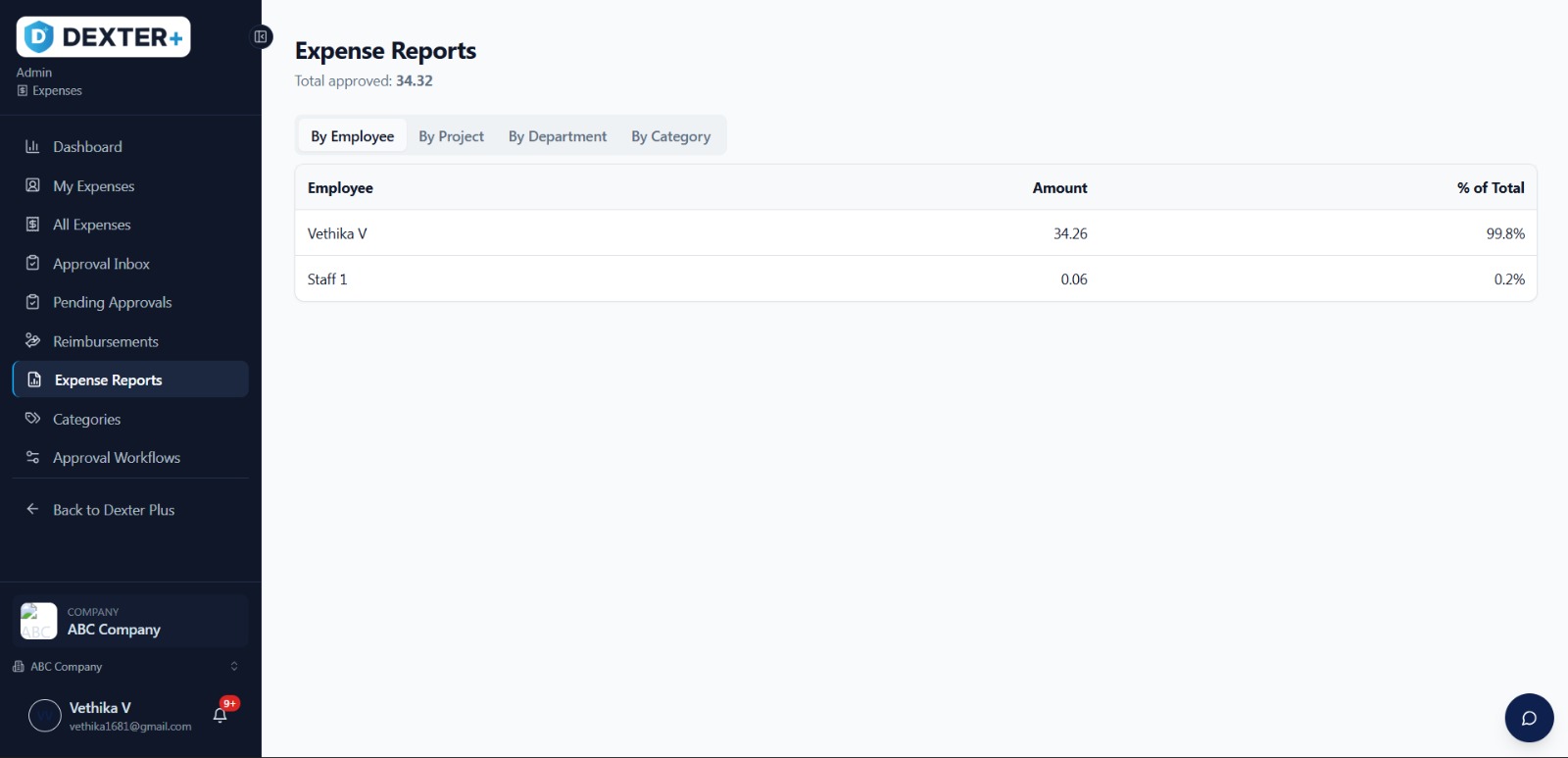
Expense reports help break spending down by category and period, making it easier to see spending patterns and identify unusual claims early.
Need the data elsewhere? Confirmed receipt data can be exported to Excel or Google Sheets for further reporting and analysis.
Dexter Expense is part of the Dexter Plus cloud ERP, sharing one data model with Dexter Finance, Payroll, Resource and Core.
People, departments and approval rules can be set up once and used across the connected modules. Approved expenses are also available to finance without requiring the same information to be entered again.
The result is a connected expense process that works as part of your wider ERP system.
AI receipt scanning and approvals
GL posting and reimbursements
Business expenses do not only happen at a desk.
Field sales teams, technicians at client sites, project crews, event teams, consultants and office employees can all collect receipts and submit expenses through the same process.
Whether you manage a single office, a retail chain, a clinic group or several companies under one roof, Dexter Expense gives your teams one place to record and manage business expenses.
Expense management software digitises how a business records, approves and reimburses employee spending. Dexter Expense does this inside Dexter Plus cloud ERP, with AI receipt scanning built in.
Once you take a photo of one or more receipts, Dexter Expense detects and crops each receipt, reads its fields, scores its confidence and asks you to confirm before anything is saved.
Yes. Approval workflows can follow your organisational structure, the expense type or the level of approval each claim needs.
Yes. It shares one data model with Dexter Finance, so approved expenses flow into accounting without re-entry.
Yes. Confirmed receipt data can be exported to Excel or Google Sheets for further reporting and analysis.
From startups to enterprises — pick the plan that fits today and grow into the next.
Up to 10 users
Up to 30 users
Up to 100 users
Unlimited users
Everything that's included, side by side.
| Feature | Free | Basic | Professional | Business | Enterprise |
|---|---|---|---|---|---|
| Sales | |||||
| Clients | ✓ | ✓ | ✓ | ✓ | ✓ |
| Proposals | ✓ | ✓ | ✓ | ✓ | ✓ |
| Invoices | ✓ | ✓ | ✓ | ✓ | ✓ |
| Credit Notes | — | ✓ | ✓ | ✓ | ✓ |
| Debit Notes | — | ✓ | ✓ | ✓ | ✓ |
| Expenses | |||||
| Expenses | ✓ | ✓ | ✓ | ✓ | ✓ |
| Expense Categories | — | ✓ | ✓ | ✓ | ✓ |
| Expense Approval | — | ✓ | ✓ | ✓ | ✓ |
| Reimbursements | — | ✓ | ✓ | ✓ | ✓ |
| Purchases | |||||
| Vendors | — | ✓ | ✓ | ✓ | ✓ |
| Vendor Bills | — | ✓ | ✓ | ✓ | ✓ |
| Purchase Orders | — | ✓ | ✓ | ✓ | ✓ |
| Purchase Requests | — | ✓ | ✓ | ✓ | ✓ |
| Purchase Approvals | — | — | ✓ | ✓ | ✓ |
| Workforce | |||||
| Employees | — | ✓ | ✓ | ✓ | ✓ |
| Departments | — | ✓ | ✓ | ✓ | ✓ |
| Onboarding | — | — | ✓ | ✓ | ✓ |
| Leave Requests | — | ✓ | ✓ | ✓ | ✓ |
| Loans | — | — | ✓ | ✓ | ✓ |
| Loan Types | — | — | ✓ | ✓ | ✓ |
| Gratuity Calculator | — | — | ✓ | ✓ | ✓ |
| Approvals Inbox | — | ✓ | ✓ | ✓ | ✓ |
| Payroll | |||||
| Payroll Dashboard | — | — | ✓ | ✓ | ✓ |
| Salary Structure | — | — | ✓ | ✓ | ✓ |
| Payroll Runs | — | — | ✓ | ✓ | ✓ |
| Payslip | — | — | ✓ | ✓ | ✓ |
| WPS Export | — | — | ✓ | ✓ | ✓ |
| Attendance | |||||
| Attendance Dashboard | — | ✓ | ✓ | ✓ | ✓ |
| Check In / Out | — | ✓ | ✓ | ✓ | ✓ |
| Shift Management | — | — | ✓ | ✓ | ✓ |
| Attendance Reports | — | — | ✓ | ✓ | ✓ |
| Accounting | |||||
| Chart of Accounts | — | — | ✓ | ✓ | ✓ |
| General Ledger | — | — | ✓ | ✓ | ✓ |
| Petty Cash | — | — | ✓ | ✓ | ✓ |
| Bank Reconciliation | — | — | ✓ | ✓ | ✓ |
| Trial Balance | — | — | ✓ | ✓ | ✓ |
| Profit & Loss | — | — | ✓ | ✓ | ✓ |
| Balance Sheet | — | — | ✓ | ✓ | ✓ |
| Reports | |||||
| Custom Reports | — | — | — | ✓ | ✓ |
| Banking | |||||
| Bank Accounts | — | ✓ | ✓ | ✓ | ✓ |
| Transactions | — | ✓ | ✓ | ✓ | ✓ |
| Platform | |||||
| Approval Workflows | — | — | — | ✓ | ✓ |
| Multi-Company | — | — | — | ✓ | ✓ |
| API Access | — | — | — | ✓ | ✓ |
| Audit Logs | — | — | ✓ | ✓ | ✓ |
| Custom Workflows | — | — | — | — | ✓ |
| White Labeling | — | — | — | — | ✓ |
| Mobile App Access | — | ✓ | ✓ | ✓ | ✓ |
Capture receipts, simplify expense claims and keep approvals and reimbursements moving in one place.
Start with Dexter Expense on its own or connect it with other Dexter Plus modules. Our team can help set up your expense categories and approval rules so your workflow is ready to use from day one.